 mrholek
275 lines
13 KiB
Markdown
275 lines
13 KiB
Markdown
# CoreUI Free Vue Admin Template - Built for AI-Assisted Development [](https://twitter.com/intent/tweet?text=CoreUI%20-%20Free%Vue%204%20Admin%20Template%20&url=https://coreui.io&hashtags=bootstrap,admin,template,dashboard,panel,free,angular,react,vue)
|
||
|
||
[](https://opensource.org/licenses/MIT)
|
||
[](https://github.com/coreui/coreui)
|
||
[![npm package][npm-coreui-badge]][npm-coreui]
|
||
[![NPM downloads][npm-coreui-download]][npm-coreui]
|
||
[](https://github.com/coreui/vue)
|
||
[![npm package][npm-coreui-vue-badge]][npm-coreui-vue]
|
||
[![NPM downloads][npm-coreui-vue-download]][npm-coreui-vue]
|
||
|
||
[npm-coreui]: https://www.npmjs.com/package/@coreui/coreui
|
||
[npm-coreui-badge]: https://img.shields.io/npm/v/@coreui/coreui.png?style=flat-square
|
||
[npm-coreui-download]: https://img.shields.io/npm/dm/@coreui/coreui.svg?style=flat-square
|
||
[npm-coreui-vue]: https://www.npmjs.com/package/@coreui/vue
|
||
[npm-coreui-vue-badge]: https://img.shields.io/npm/v/@coreui/vue.png?style=flat-square
|
||
[npm-coreui-vue-download]: https://img.shields.io/npm/dm/@coreui/vue.svg?style=flat-square
|
||
[npm]: https://www.npmjs.com/package/@coreui/vue
|
||
|
||
[](https://coreui.io/product/free-react-admin-template/)
|
||
|
||
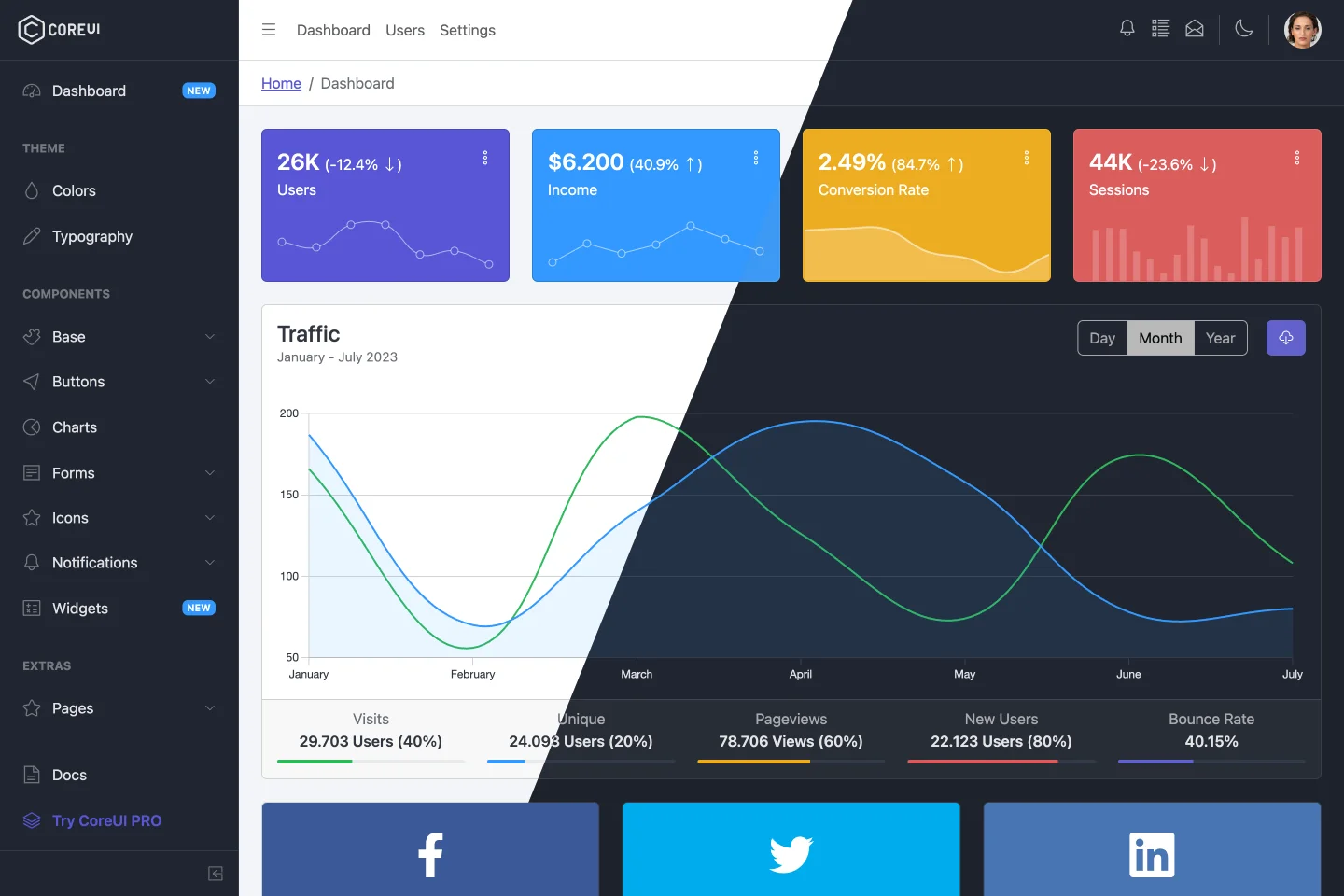
CoreUI is meant to be the UX game changer. Pure & transparent code is devoid of redundant components, so the app is light enough to offer ultimate user experience. This means mobile devices also, where the navigation is just as easy and intuitive as on a desktop or laptop. The CoreUI Layout API lets you customize your project for almost any device – be it Mobile, Web or WebApp – CoreUI covers them all!
|
||
|
||
## Table of Contents
|
||
|
||
* [Versions](#versions)
|
||
* [CoreUI PRO](#coreui-pro)
|
||
* [CoreUI PRO Vue Admin Templates](#coreui-pro-vue-admin-templates)
|
||
* [Quick Start](#quick-start)
|
||
* [Installation](#installation)
|
||
* [Basic usage](#basic-usage)
|
||
* [What's included](#whats-included)
|
||
* [AI-Friendly Development](#ai-friendly-development)
|
||
* [Documentation](#documentation)
|
||
* [Components](#components)
|
||
* [Versioning](#versioning)
|
||
* [Creators](#creators)
|
||
* [Community](#community)
|
||
* [Support CoreUI Development](#support-coreui-development)
|
||
* [Copyright and License](#copyright-and-license)
|
||
|
||
## Versions
|
||
|
||
* [CoreUI Free Bootstrap Admin Template](https://github.com/coreui/coreui-free-bootstrap-admin-template)
|
||
* [CoreUI Free Angular Admin Template](https://github.com/coreui/coreui-free-angular-admin-template)
|
||
* [CoreUI Free React.js Admin Template](https://github.com/coreui/coreui-free-react-admin-template)
|
||
* [CoreUI Free Vue.js Admin Template](https://github.com/coreui/coreui-free-vue-admin-template)
|
||
|
||
## CoreUI PRO
|
||
|
||
* 💪 [CoreUI PRO Angular Admin Template](https://coreui.io/product/angular-dashboard-template/)
|
||
* 💪 [CoreUI PRO Bootstrap Admin Template](https://coreui.io/product/bootstrap-dashboard-template/)
|
||
* 💪 [CoreUI PRO Next.js Admin Template](https://coreui.io/product/next-js-dashboard-template/)
|
||
* 💪 [CoreUI PRO React Admin Template](https://coreui.io/product/react-dashboard-template/)
|
||
* 💪 [CoreUI PRO Vue Admin Template](https://coreui.io/product/vue-dashboard-template/)
|
||
|
||
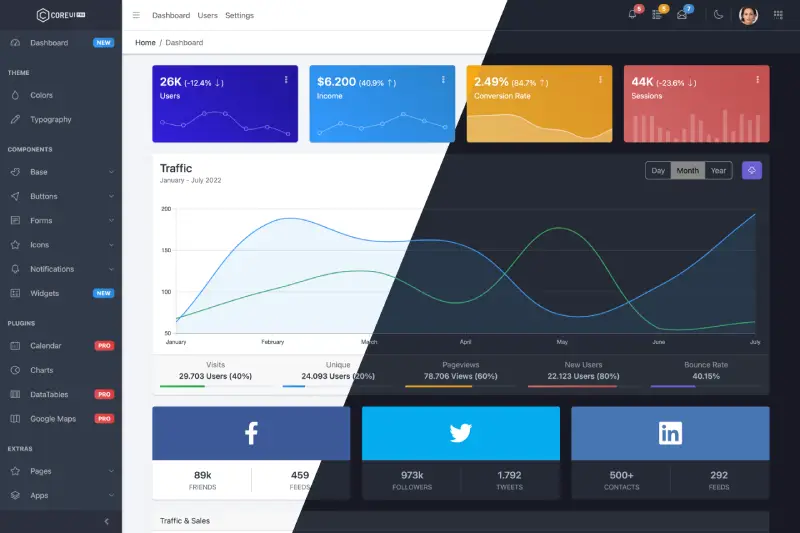
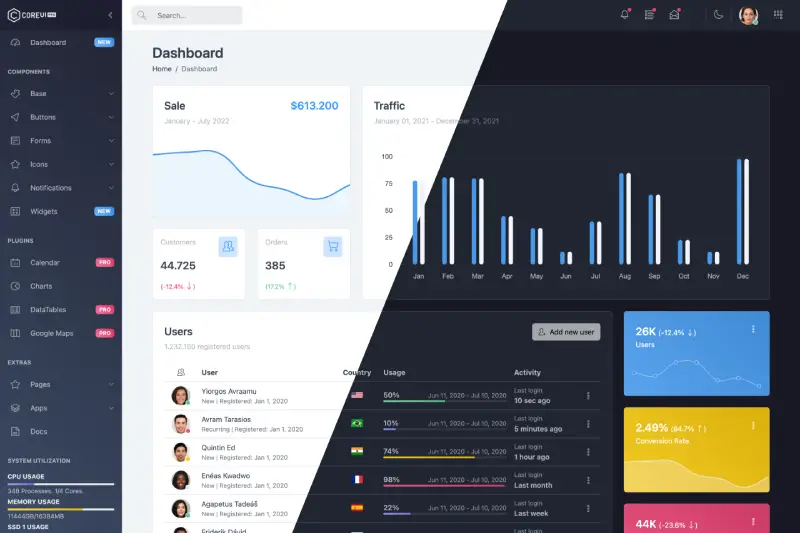
## CoreUI PRO Vue Admin Templates
|
||
|
||
| Default Theme | Light Theme |
|
||
| --- | --- |
|
||
| [](https://coreui.io/product/vue-dashboard-template/?theme=default) | [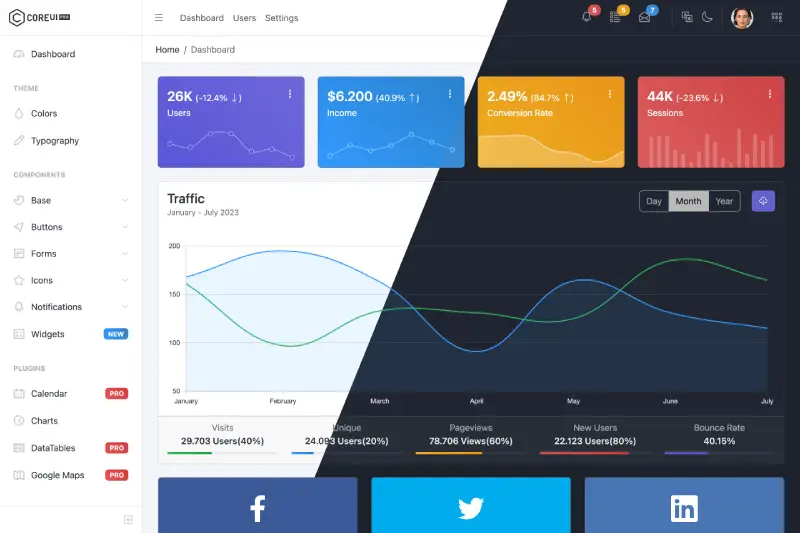](https://coreui.io/product/vue-dashboard-template/?theme=light)|
|
||
|
||
| Modern Theme | Bright Theme |
|
||
| --- | --- |
|
||
| [](https://coreui.io/product/vue-dashboard-template/?theme=modern) | [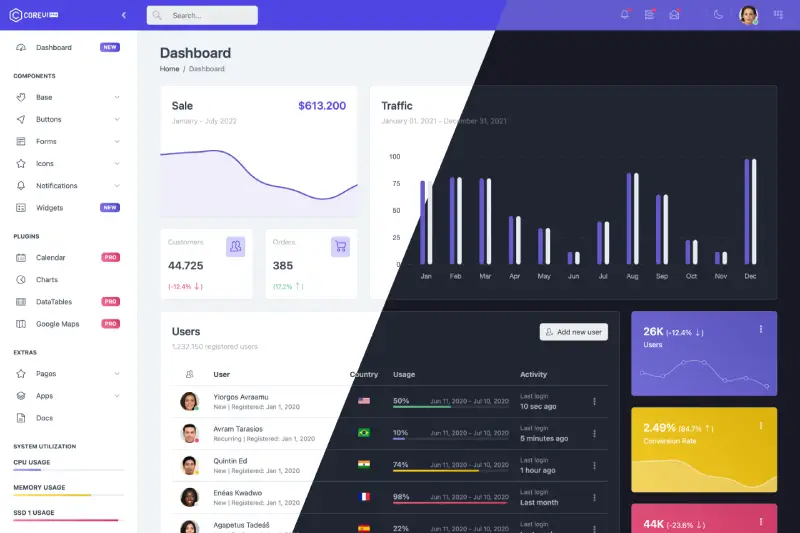](https://coreui.io/product/vue-dashboard-template/?theme=bright)|
|
||
|
||
## Quick Start
|
||
|
||
- [Download the latest release](https://github.com/coreui/coreui-free-vue-admin-template/archive/refs/heads/main.zip)
|
||
- Clone the repo: `git clone https://github.com/coreui/coreui-free-vue-admin-template.git`
|
||
|
||
### Instalation
|
||
|
||
``` bash
|
||
$ npm install
|
||
```
|
||
|
||
or
|
||
|
||
``` bash
|
||
$ yarn install
|
||
```
|
||
|
||
### Basic usage
|
||
|
||
``` bash
|
||
# dev server with hot reload at http://localhost:3000
|
||
$ npm run dev
|
||
```
|
||
|
||
or
|
||
|
||
``` bash
|
||
# dev server with hot reload at http://localhost:3000
|
||
$ yarn dev
|
||
```
|
||
|
||
Navigate to [http://localhost:3000](http://localhost:3000). The app will automatically reload if you change any of the source files.
|
||
|
||
#### Build
|
||
|
||
Run `build` to build the project. The build artifacts will be stored in the `dist/` directory.
|
||
|
||
```bash
|
||
# build for production with minification
|
||
$ npm run build
|
||
```
|
||
|
||
or
|
||
|
||
```bash
|
||
# build for production with minification
|
||
$ yarn build
|
||
```
|
||
|
||
## What's included
|
||
|
||
Within the download you'll find the following directories and files, logically grouping common assets and providing both compiled and minified variations. You'll see something like this:
|
||
|
||
```
|
||
coreui-free-vue-admin-template
|
||
├── public/ # static files
|
||
├── src/ # project root
|
||
│ ├── assets/ # images, icons, etc.
|
||
│ ├── components/ # common components - header, footer, sidebar, etc.
|
||
│ ├── layouts/ # layout containers
|
||
│ ├── scss/ # scss styles
|
||
│ ├── router # routes config
|
||
│ ├── stores/ # template state example
|
||
│ ├── views/ # application views
|
||
│ ├── _nav.js # sidebar navigation config
|
||
│ ├── App.vue
|
||
│ ├── ...
|
||
│ └── main.js
|
||
├── index.html # html template
|
||
├── package.json
|
||
└── vite.config.mjs
|
||
```
|
||
|
||
## AI-Friendly Development
|
||
|
||
This template is designed to work seamlessly with AI coding assistants like Cursor, GitHub Copilot, and Claude Code. We've included comprehensive documentation and configuration files to help AI understand the project structure and conventions.
|
||
|
||
### Features for AI Development
|
||
|
||
- **`.cursorrules`**: Complete AI assistant configuration with project conventions, technology stack, and coding patterns
|
||
- **`ARCHITECTURE.md`**: Detailed technical architecture documentation covering components, routing, state management, and build system
|
||
- **`DEVELOPMENT.md`**: Comprehensive development guide with setup instructions, workflows, and best practices
|
||
- **JSDoc Comments**: Main Vue components include documentation for better AI understanding
|
||
|
||
### Getting Started with AI Assistants
|
||
|
||
1. **Open the project** in your AI-powered IDE (VS Code with Cursor, GitHub Copilot, or Claude Code)
|
||
2. **Review `.cursorrules`** to understand the project conventions
|
||
3. **Ask your AI assistant** to help you build features - it will automatically follow the project patterns
|
||
4. **Use natural language** to describe components, pages, or features you want to add
|
||
|
||
### What AI Assistants Know About This Project
|
||
|
||
Your AI assistant understands:
|
||
- **Component Library**: Always use CoreUI Vue components (never Tailwind, Vuetify, or other libraries)
|
||
- **Code Style**: Vue 3 Composition API with `<script setup>` syntax, Prettier formatting, ESLint rules
|
||
- **Architecture**: Single Page Application with Vue Router, Pinia for state management, Vite for building
|
||
- **File Organization**: Where to create components, views, routes, and styles
|
||
- **Common Patterns**: Lazy loading, composables, navigation configuration, theming
|
||
|
||
### Example AI Prompts
|
||
|
||
Try asking your AI assistant:
|
||
- "Create a new products page with a table showing product name, price, and status"
|
||
- "Add a user profile form with validation"
|
||
- "Create a chart showing monthly sales data"
|
||
- "Add a new navigation item for the settings page"
|
||
|
||
For more information, see the [DEVELOPMENT.md](DEVELOPMENT.md) guide.
|
||
|
||
## Documentation
|
||
|
||
The documentation for the CoreUI Admin Template is hosted at our website [CoreUI for Vue](https://coreui.io/vue/docs/templates/installation.html)
|
||
|
||
## Components
|
||
|
||
CoreUI Vue.js Admin Templates are built on top of CoreUI and CoreUI PRO UI components libraries, including all of these components.
|
||
|
||
- [Vue Accordion](https://coreui.io/vue/docs/components/accordion.html)
|
||
- [Vue Alert](https://coreui.io/vue/docs/components/alert.html)
|
||
- [Vue Autocomplete](https://coreui.io/vue/docs/forms/autocomplete.html) **PRO**
|
||
- [Vue Avatar](https://coreui.io/vue/docs/components/avatar.html)
|
||
- [Vue Badge](https://coreui.io/vue/docs/components/badge.html)
|
||
- [Vue Breadcrumb](https://coreui.io/vue/docs/components/breadcrumb.html)
|
||
- [Vue Button](https://coreui.io/vue/docs/components/button.html)
|
||
- [Vue Button Group](https://coreui.io/vue/docs/components/button-group.html)
|
||
- [Vue Callout](https://coreui.io/vue/docs/components/callout.html)
|
||
- [Vue Card](https://coreui.io/vue/docs/components/card.html)
|
||
- [Vue Carousel](https://coreui.io/vue/docs/components/carousel.html)
|
||
- [Vue Checkbox](https://coreui.io/vue/docs/forms/checkbox.html)
|
||
- [Vue Close Button](https://coreui.io/vue/docs/components/close-button.html)
|
||
- [Vue Collapse](https://coreui.io/vue/docs/components/collapse.html)
|
||
- [Vue Date Picker](https://coreui.io/vue/docs/forms/date-picker.html) **PRO**
|
||
- [Vue Date Range Picker](https://coreui.io/vue/docs/forms/date-range-picker.html) **PRO**
|
||
- [Vue Dropdown](https://coreui.io/vue/docs/components/dropdown.html)
|
||
- [Vue Floating Labels](https://coreui.io/vue/docs/forms/floating-labels.html)
|
||
- [Vue Footer](https://coreui.io/vue/docs/components/footer.html)
|
||
- [Vue Header](https://coreui.io/vue/docs/components/header.html)
|
||
- [Vue Image](https://coreui.io/vue/docs/components/image.html)
|
||
- [Vue Input](https://coreui.io/vue/docs/forms/input.html)
|
||
- [Vue Input Group](https://coreui.io/vue/docs/forms/input-group.html)
|
||
- [Vue List Group](https://coreui.io/vue/docs/components/list-group.html)
|
||
- [Vue Loading Button](https://coreui.io/vue/docs/components/loading-button.html) **PRO**
|
||
- [Vue Modal](https://coreui.io/vue/docs/components/modal.html)
|
||
- [Vue Multi Select](https://coreui.io/vue/docs/forms/multi-select.html) **PRO**
|
||
- [Vue Navs & Tabs](https://coreui.io/vue/docs/components/navs-tabs.html)
|
||
- [Vue Navbar](https://coreui.io/vue/docs/components/navbar.html)
|
||
- [Vue Offcanvas](https://coreui.io/vue/docs/components/offcanvas.html)
|
||
- [Vue Pagination](https://coreui.io/vue/docs/components/pagination.html)
|
||
- [Vue Password Input](https://coreui.io/vue/docs/forms/password-input.html) **PRO**
|
||
- [Vue Placeholder](https://coreui.io/vue/docs/components/placeholder.html)
|
||
- [Vue Popover](https://coreui.io/vue/docs/components/popover.html)
|
||
- [Vue Progress](https://coreui.io/vue/docs/components/progress.html)
|
||
- [Vue Radio](https://coreui.io/vue/docs/forms/radio.html)
|
||
- [Vue Range](https://coreui.io/vue/docs/forms/range.html)
|
||
- [Vue Range Slider](https://coreui.io/vue/docs/forms/range-slider.html) **PRO**
|
||
- [Vue Rating](https://coreui.io/vue/docs/forms/rating.html) **PRO**
|
||
- [Vue Select](https://coreui.io/vue/docs/forms/select.html)
|
||
- [Vue Sidebar](https://coreui.io/vue/docs/components/sidebar.html)
|
||
- [Vue Smart Pagination](https://coreui.io/vue/docs/components/smart-pagination.html) **PRO**
|
||
- [Vue Smart Table](https://coreui.io/vue/docs/components/smart-table.html) **PRO**
|
||
- [Vue Spinner](https://coreui.io/vue/docs/components/spinner.html)
|
||
- [Vue Stepper](https://coreui.io/vue/docs/forms/stepper.html) **PRO**
|
||
- [Vue Switch](https://coreui.io/vue/docs/forms/switch.html)
|
||
- [Vue Table](https://coreui.io/vue/docs/components/table.html)
|
||
- [Vue Textarea](https://coreui.io/vue/docs/forms/textarea.html)
|
||
- [Vue Time Picker](https://coreui.io/vue/docs/forms/time-picker.html) **PRO**
|
||
- [Vue Toast](https://coreui.io/vue/docs/components/toast.html)
|
||
- [Vue Tooltip](https://coreui.io/vue/docs/components/tooltip.html)
|
||
|
||
## Versioning
|
||
|
||
For transparency into our release cycle and in striving to maintain backward compatibility, CoreUI Free Admin Template is maintained under [the Semantic Versioning guidelines](http://semver.org/).
|
||
|
||
See [the Releases section of our project](https://github.com/coreui/coreui-free-vue-admin-template/releases) for changelogs for each release version.
|
||
|
||
## Creators
|
||
|
||
**Łukasz Holeczek**
|
||
|
||
* <https://twitter.com/lukaszholeczek>
|
||
* <https://github.com/mrholek>
|
||
|
||
**Andrzej Kopański**
|
||
|
||
* <https://github.com/xidedix>
|
||
|
||
**CoreUI Team**
|
||
|
||
* <https://twitter.com/core_ui>
|
||
* <https://github.com/coreui>
|
||
* <https://github.com/orgs/coreui/people>
|
||
|
||
## Community
|
||
|
||
Get updates on CoreUI's development and chat with the project maintainers and community members.
|
||
|
||
- Follow [@core_ui on Twitter](https://twitter.com/core_ui).
|
||
- Read and subscribe to [CoreUI Blog](https://coreui.io/blog/).
|
||
|
||
## Support CoreUI Development
|
||
|
||
CoreUI is an MIT-licensed open source project and is completely free to use. However, the amount of effort needed to maintain and develop new features for the project is not sustainable without proper financial backing. You can support development by buying the [CoreUI PRO](https://coreui.io/pricing/?framework=vue&src=github-coreui-free-vue-admin-template) or by becoming a sponsor via [Open Collective](https://opencollective.com/coreui/).
|
||
|
||
## Copyright and License
|
||
|
||
copyright 2026 creativeLabs Łukasz Holeczek.
|
||
|
||
Code released under [the MIT license](https://github.com/coreui/coreui-free-react-admin-template/blob/main/LICENSE).
|